Bookydays App for iPhone: How to Book Local Services in Cyprus (Android Coming Soon)
Download the free Bookydays iPhone app to search, book, and manage hair, beauty, fitness, and clinic appointments across Cyprus. Android is coming soon — the same bookings already work on bookydays.cy.
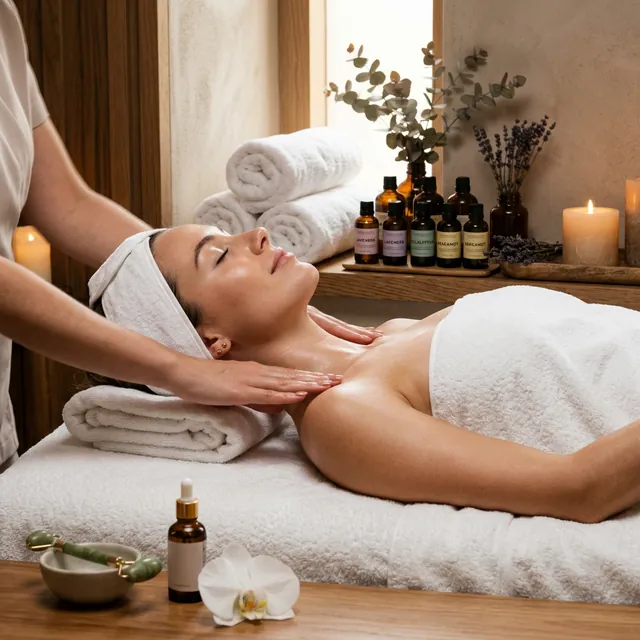
The Bookydays app is the free Cyprus booking app for finding and booking local services on your phone. It is live on the iPhone App Store now. Android for clients is coming soon. Until that listing ships, you can book the same businesses on bookydays.cy in any mobile browser.
This guide answers the questions people actually ask: where to download it, how booking works, what you can do in the app, and when to use the website instead.
What is the Bookydays app?
Bookydays is the client app for bookydays.cy — Cyprus’s local services marketplace. You search salons, barbers, nail studios, trainers, clinics, tutors, and more, see live availability, and confirm a slot without calling or sending a “DM to book.”
It is free to download and free to book. You only pay the business for the service.
If you run the shop, you want the other app: Bookydays Business for iOS and Android.
Is Bookydays available on iPhone and Android?
iPhone: Yes. Download Bookydays from the App Store (iOS 15.1 or later). Official listing: Bookydays on the App Store.
Android (clients): Coming soon. Use bookydays.cy in Chrome or any browser — same marketplace, same live slots. Add the site to your home screen for an app-like shortcut.
Business owners: The Workspace app (listed as Bookydays Business) is already on iPhone, iPad, and Google Play.
How do I download the Bookydays app?
- Open the App Store on your iPhone
- Search Bookydays, or tap Download on the App Store
- Tap Get
- Create a free account or sign in so you can manage bookings and favourites
That is the only official client download today. Ignore lookalike listings.
How do I book an appointment in the Bookydays app?
- Open Discover
- Search, or filter by category, city, and price
- Open a business and pick a service, provider, date, and live slot
- Check duration, price, and hours — add a note if you need one
- Confirm. The appointment lands in Bookings
You can filter confirmed, completed, and cancelled visits, cancel when the business policy allows, and book the same service again without starting from scratch.
The same path works on the web if you are on Android or a desktop: browse services.
What can I do in the Bookydays app?
- Discover nearby services across beauty and wellness, fitness, sports, medical and health, education, driving lessons, events, and professional services
- Filter by city — Nicosia, Limassol, Larnaca, Paphos, Famagusta — and by budget
- Book with real-time availability instead of waiting on WhatsApp
- See all your appointments in one place
- Save favourites for faster rebooking
- Manage your account and details in Settings
That matches how Cyprus clients already choose: search, compare prices and reviews, then lock a slot. More on that behaviour: how clients book in Cyprus in 2026.
Which cities and services can I book?
The marketplace is Cyprus-first. Typical searches that convert in the app:
- Hair salon or barber in Limassol or Nicosia
- Nails, brows, or a spa slot before a weekend
- Personal trainer, Pilates, or a gym session
- Clinic, tutor, or driving lesson with a real calendar
Start from beauty services in Cyprus or personal trainers if you want ideas before you open Discover.
Do I need an account?
You can browse without signing in. A free account is what lets you keep bookings, favourites, and details so the next cut or session is one tap, not a new form.
Bookydays app vs booking on the website
They are the same marketplace. Use the iPhone app when you want Discover, Bookings, and Favourites in your pocket. Use bookydays.cy on Android, iPad, or desktop — or anytime you already have a business’s booking link from Instagram or Google.
Owners still share one Bookydays URL. You do not need a different link for the app. See Instagram bio booking links if you are the one posting the link.
Is the Bookydays app free?
Yes. Bookydays does not charge clients to search or book. Payment at the appointment depends on the business — some take payment in shop, some ask for a deposit. Follow the details on their page when you confirm.
Why use the app instead of WhatsApp or Instagram DMs?
DMs do not show live chairs. The app does. You see duration and price before you commit, get the booking in Bookings, and the business sees the same slot in Workspace — so you are not double-booked against a message they never opened.
Reminders still matter after you book. If you want the client-side view of why those messages show up: why booking reminders matter.
Frequently asked questions
Is Bookydays on the App Store?
Yes. The client app is Bookydays — App Store listing. The owner app is a separate download: Bookydays Business.
When is the Android client app coming?
Soon. There is no Play Store listing for clients yet. Book on bookydays.cy today. Workspace for businesses is already on Google Play.
Can I cancel or reschedule in the app?
Yes, where the business allows it. Open Bookings, find the appointment, and use the cancel option — or contact the business if you are inside their cancellation window. Policies vary (often around 24 hours). Check them when you book.
Does the app work in Greek and English?
The marketplace is built for Cyprus clients who search in English or Greek and book locally. The App Store listing is in English; you still get Cyprus cities, euro prices, and local businesses.
What to do next
- Download Bookydays on the App Store
- Or browse services on the web (Android and desktop)
- Run a salon, studio, or clinic? Read the Bookydays Business app guide or start Workspace free
Keep reading
Why the Best Bookings in Cyprus Send You a Reminder (and a Thank-You After)
A confirmed slot is only the start. Here is what reliable Bookydays businesses send before and after your appointment — and why it feels so much better than DM-to-book.

How Clients Choose & Book Local Services in Cyprus in 2026
What Cyprus customers actually do before they book — reviews, prices, speed, and why DM-to-book businesses lose out.

Summer 2026 in Cyprus: Why You Should Book Beauty & Wellness Appointments Early
Peak season fills fast. Lock hair, nails, and wellness slots in Limassol, Nicosia, and Paphos weeks ahead — in under a minute.
Ready to accept bookings?
Add your business, set up your services, and share your booking link. Manage appointments and reminders from Workspace — free to start.
Free to start · No card needed · Book as a client